
Displayed prices are for multiple nights. Check the site for price per night. I see hostels starting at 200b/day and hotels from 500b/day on agoda.


para
-
Posts
10 -
Joined
-
Last visited
Content Type
Profiles
Forums
Events
Everything posted by para
-
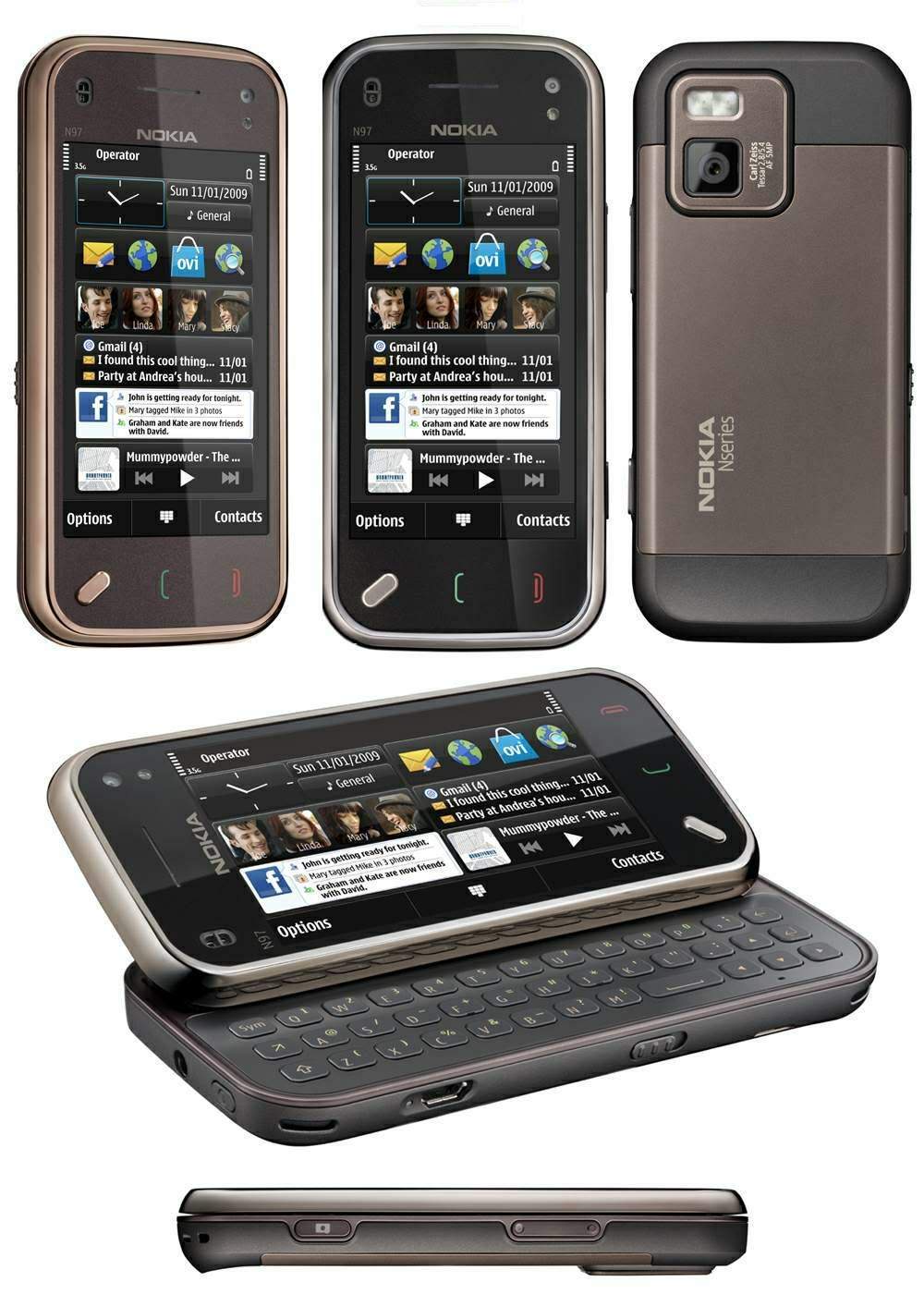
Nokia N97 mini (v11) for sale only 3 month old boxed with all documents/cables and FULLY loaded with all the registered software you could want Garminmobile XT v5.00 NDrive (GPS) v3.5.27 Sysgic (GPS) v7.71 Webgate device lock Alon Cobtacts guide and a lot more. Will also copy the *.csr and *.cer files onto the phone so you can sign and install your own unsigned software. 14,000THB ono.
-
To speed up web browsing in particular viewing picture your web browser can store a picture it has downloaded once and store it in the cacche. When you go back to a previously viewed page windows by default sees if any of the images are in cache and will use them rather than down load them again and slowing your browsing. Problem is when an image changes on the server but you still have a copy in cache. Personally I use Opera its a lot faster than IE..... For all you die hard IE users here is a quick cache how to. You can configure basic caching parameters in Microsoft Internet Explorer (IE). To set cache parameters, click Tools, Internet Options on the IE toolbar. In the General tab’s Temporary Internet files section, click Settings. Possible cache settings in IE 5.0 and later include Every visit to the page, Every time you start Internet Explorer, Automatically, and Never—the most dangerous setting Every visit to the page. When you return to a previously viewed page, IE determines whether content has changed since you last viewed the page. If the page has changed, IE displays the new page and stores it in the Temporary Internet Files folder. IE checks for changes once per session. Every time you start Internet Explorer. When you return to a previously viewed page, IE determines whether content has changed since you last viewed the page. However, on subsequent visits to the same page, IE won’t check for new content until you restart the browser. To reread content from the server, you must manually refresh the page. Automatically. When you return to a previously viewed page, IE won’t determine whether content has changed since you last viewed the page. Instead, IE checks for new content only when you return to a page that you viewed in an earlier session or on a previous day. Over time, if IE determines that images on the page are changing infrequently, IE will start checking for newer images and content less frequently. Again, to guarantee that you’re viewing the most up-to-date content, you must manually refresh the page Never. When you return to previously viewed pages, IE never determines whether content has changed since you last viewed those pages. The Never option offers the fastest browsing performance but causes the most problems by ensuring that you don’t see page updates. To force the browser to display up-to-date content, you must click Refresh or delete all files from IE’s Temporary Internet files folder.
-
best tattoo shop in pattaya please people
para replied to darbs's topic in General Discussion about Pattaya
LMFAO on the koi tatt! If that is really yours you are one crazy SOB for sure! -
This is IMO the best bit of advice for anyone coming here for the first time. Dont mess with the locals or the police plain and simple. This is their country after all and I think quite rightly expect us as visitors to respect that. Two quick stories.... Saw a very naughty fight Soi 8 on Boxing Day (how apt) Some farrang thought he was up for a one on one with a Thai boy in less than 5 seconds there must of been 30 Thai's throwing bar stools at him. The boy must of had a serious headache the when he came round. I made the mistake (?) of getting involved with a Thai/Thai fight stopping a Thai guy smash a Thai girl to pieces again Soi 8 about 7am. Could not sit there and do nothing so stopped it as diplomatically as I could and in such a way that the guy did not loose face by a farrang step in. That said it did not stop him walking back up Soi 8 a meat cleaver 10 minutes later. He was ok with me BUT if you can avoid getting involved do so. You will never win a fight with a Thai. But a smile goes a long way with Thai people and in the 2 years I have been here I have yet to have anything close to a fight with a Thai. Also and this really is a big one leave the drugs alone here. The beer, sun and amazing company offered by the ladies should be enough. If you expect to come here and get hooked up with gear expect to be spending a lot longer than anticipated its just not worth it. Thailand is a lot safer than some of its neighbors as long as you dont forget lessons learnt at home you will I promise have the most amazing time in a truly beautiful country.
-
Sounds like you loaded XP from a DOS prompt. Dos FAT for addressing hard disks try running diskmanager and see what you can find. %SystemRoot%\system32\compmgmt.msc /s Remember system restores can soon build up and taht maybe you have inadvertantly installed XP twice as in dual booting. Download a truely amazing app called Treesize Pro get it to scan your hard disk its surprising what can eat up disk space..... NIS is a bitch to remove my background is IT and it took me 4 hours to get it off. If ever you want to add/remove/reconfigure the install it has to be done through add/remove programs. Its a pain but it is the only PFW/AV I would ever use.
-
Pattaya Bar experts, help needed please!
para replied to JonnyL's topic in General Discussion about Pattaya
Dumb question but have you been back to the bar and asked the manager? The klit sounds similar to Diamond agogo but if she was a freelancer could be anywhere. -
I was in a similar position and for what its worth here is my opinion..... Come out here for a 3 month holiday, look upon it as a holiday first and a fact finding mission second. Get to understand how each Soi works and find one that fits what you. Become a regular and listen as much as you can and say as little as you have to. For Christs sake dont tell a sole you have money or want to buy a bar because within about oh I suppose a good 10 minutes you will be surrounded by people trying to help. Check out the pattaya mail and some of the web sites to see what bars are up for sale and drop by all the time to see what business really is like. Whilst there are a lot of people that will try and roll you and your money there are plenty of straight up guys. Take your time and try and talk to as many people as you can. Running a bar is not easy if you end up in Soi 8 expect to be open till 4/5/6am away from there then 1/2 is the norm. Also consider this place has its fair share of fools which have to be tolerated. Then obviously there is the chance of a silent partner.........
-
The big fella upstairs blessed me with a +7 I gave up as everyone only seemed to cater for short sightedness (sp). You might be just as well to have the eye exam done here and order the contacts on line....
-
best tattoo shop in pattaya please people
para replied to darbs's topic in General Discussion about Pattaya
I cant tell you the best but I am happy to share the one I have been using. He is on Second Road behind the beer bars at Soi 10. I am not going to lecture about having them for life as I have 4 my self all done here what I will say is take the time to find an artist that enjoys doing the style you want. A tribal tattoo'ist is not going to be happy doing dolphins lets face it! So far my guy has subjected me to 45 hours worth on my back, 26 on my left shoulder and 6 on a recolour on my right. Not happy posting them here as for sure people will know me but will PM to you if you want. Take your time and IMO cost is always the last question. I have seen some seriously bad 'cheap' tatts where the guy hates them. I hate 'flash' tatts IMO its yours and should be designed, for you and your shape just picking one off the wayy is a sure way to become unhappy quickly PM me if you wanna see the style my guys enjoys.